THEREBY/ · Email signature
Your signature, ready to paste.
Fill in your details, click Copy signature, then paste it into your email settings.
Preview
You're on a local address, so the logo won't load in sent emails. Use the hosted link to copy your signature.
Add it to your email
Open Gmail signature settings ↗ Opens Gmail → Settings → General. Signature is about halfway down.
- Click Copy signature above.
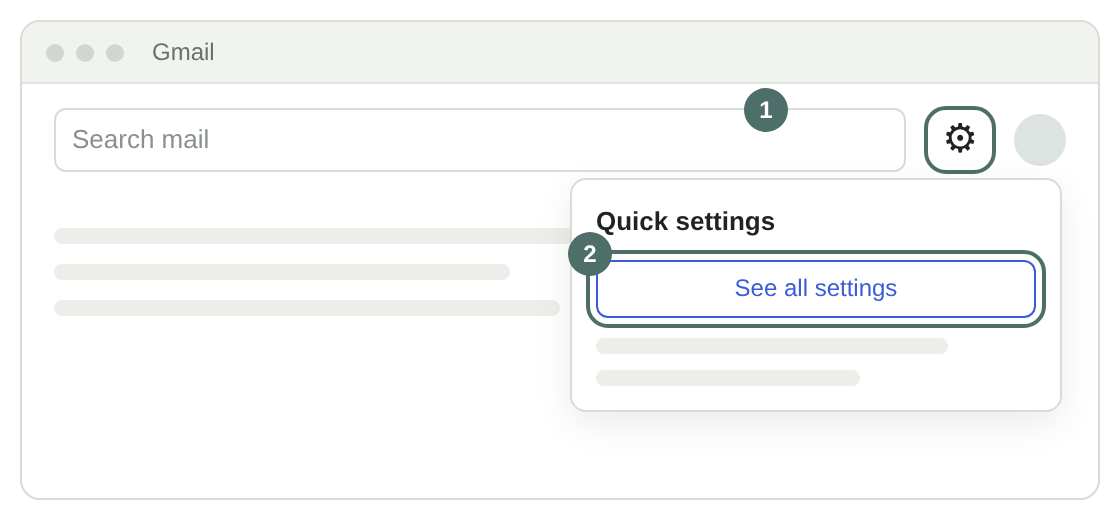
- In Gmail, click the gear icon (top right) → See all settings. Or use the button above to jump straight there.
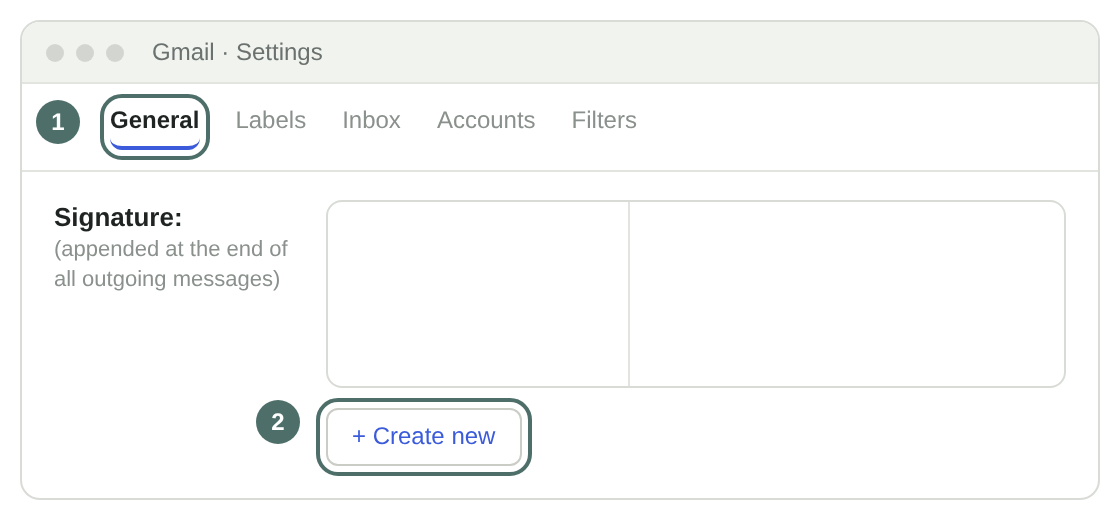
- On the General tab, scroll to Signature and click Create new (or pick your existing one). Click in the box, select all and delete anything already there.
- Paste (⌘V / Ctrl+V). You should see the logo and your name. If you see code like
<table, delete it and copy again from this page.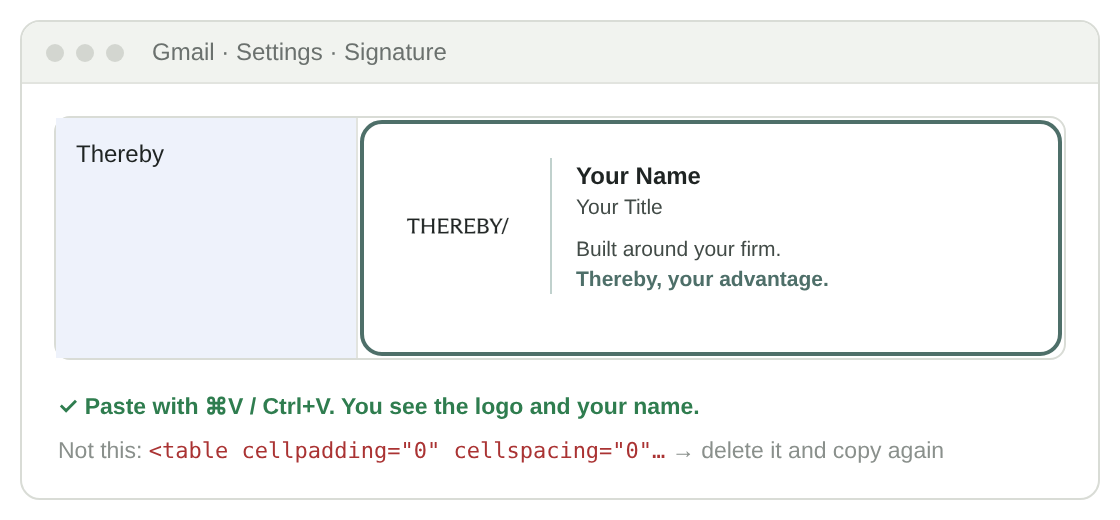
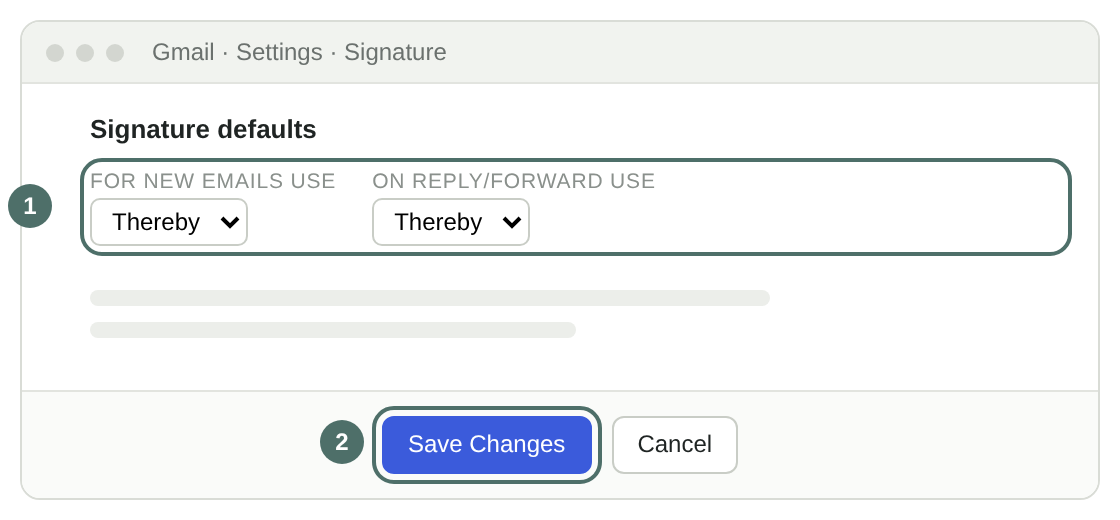
- Under Signature defaults, choose it for new emails and reply/forward, then scroll to the very bottom and click Save Changes.
Open Outlook signature settings ↗ Work or school account. Personal Outlook.com: open here ↗
- Click Copy signature above.
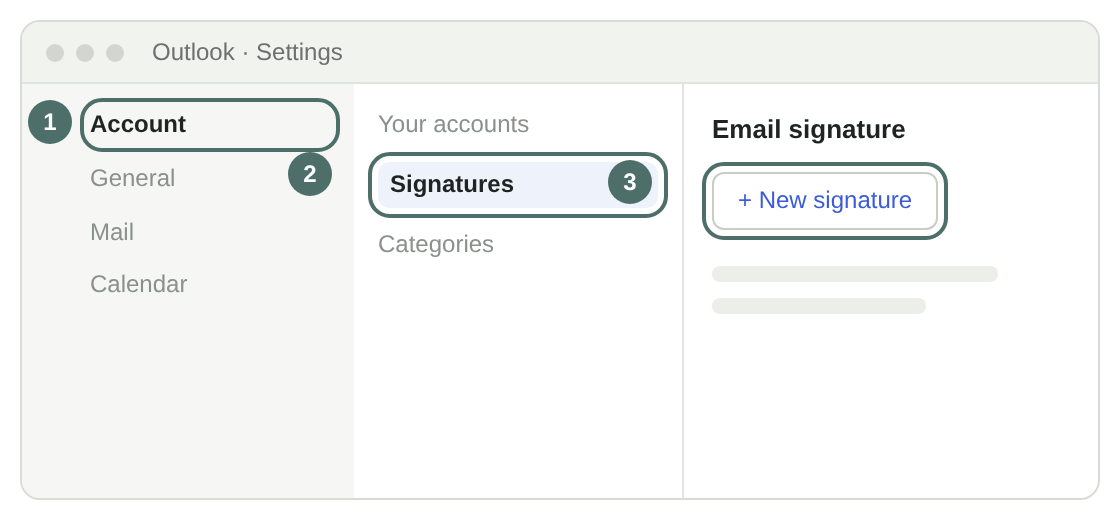
- Outlook on the web or new Outlook: Settings → Account → Signatures → New signature.
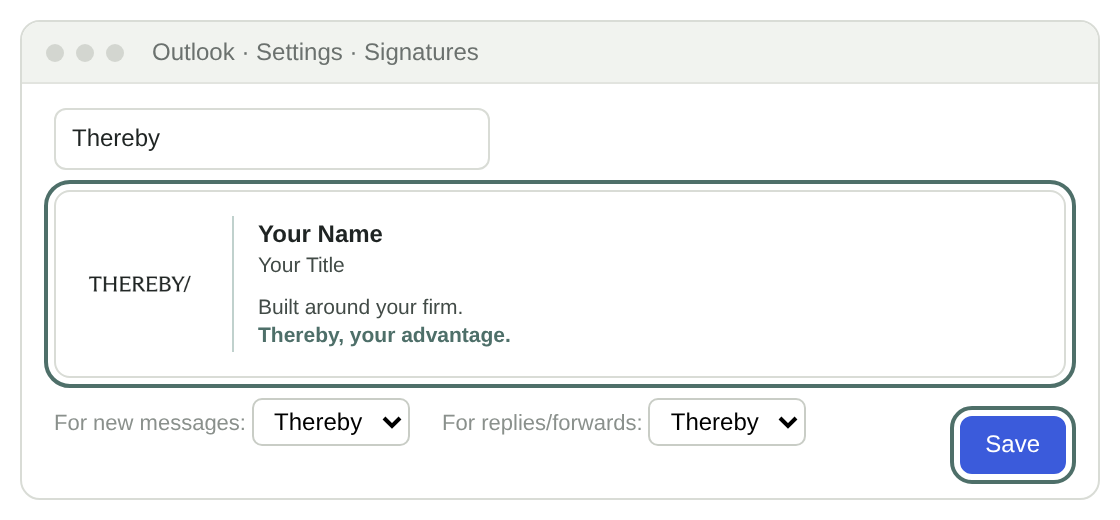
- Name it "Thereby", paste into the box, choose it for new messages and replies, and click Save.
Outlook on Windows only shows the first frame of an animated logo. That frame is the finished THEREBY/, so it still looks right. Microsoft's help ↗
Apple Mail is an app on your Mac, so there's no web link. Open Mail first.
- Click Copy signature above.
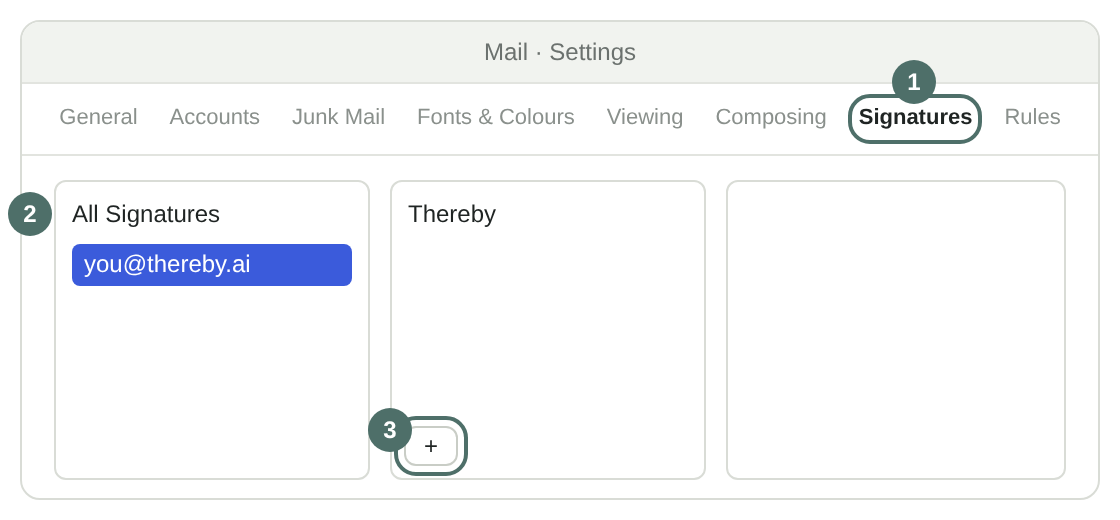
- Mail → Settings → Signatures. Pick your account on the left and click +.
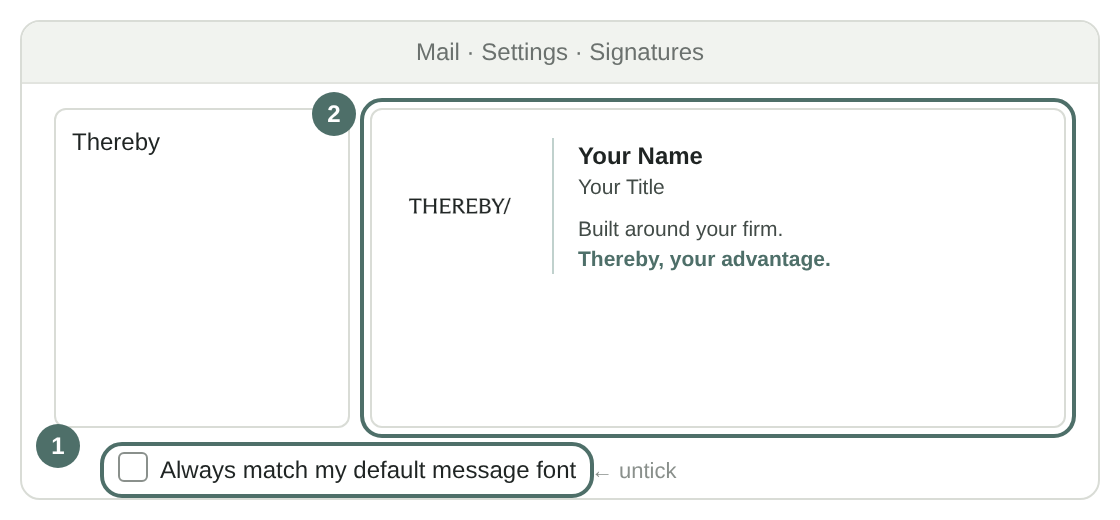
- Untick Always match my default message font, then paste into the right-hand box. Close Settings. If the logo shows as a "?" there, it still appears in sent mail.